
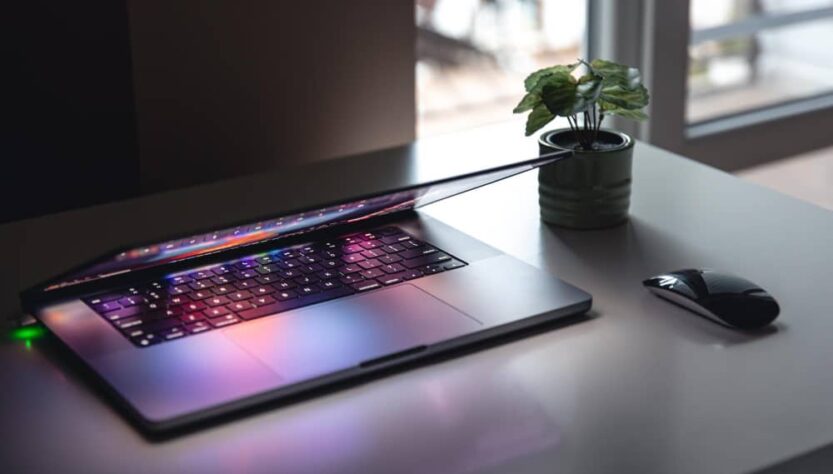
If you spend most of your day parked at the same desk, a mini PC will usually save you money and give you more processing muscle per pound than a laptop of similar spec. If you move between rooms, buildings or cities during the week, a laptop still earns its keep because nothing else folds a screen, keyboard and battery into one bag. The catch is that neither answer is universal, and a growing third option – the all-in-one PC – complicates things further by bundling a big display with the internals for anyone who just wants a tidy desk and nothing else to think about.
Buying a new computer in 2026 means picking between three genuinely different philosophies rather than three versions of the same box. Remote work, smaller apartments and multi-monitor setups have reshaped what “the right computer” even means, and the physical shape of your workday now matters as much as the spec sheet. Stick with me and I’ll walk through where each format wins, where it falls apart, and which one actually matches how you work rather than how a spec sheet reads.
Key takeaways:
- A mini PC typically delivers more raw performance per pound than a laptop, but it needs a monitor, keyboard and mouse to function.
- A laptop remains the only sensible pick for students, hybrid workers and anyone who needs one device that works in multiple locations.
- An all-in-one PC trades upgrade flexibility for a large built-in display and a near cable-free desk.
- Mini PCs generally run cooler and last longer under sustained workloads than thin-and-light laptops because their cooling systems have more room to breathe.
What Is a Mini PC, a Laptop, and an All-in-One PC?
A mini PC is a full desktop computer shrunk down to a footprint smaller than a hardback book, and it needs an external monitor, keyboard and mouse to work at all. Despite the tiny chassis, it typically runs the same mobile-class processors found in laptops, sometimes paired with active cooling that a slim notebook simply doesn’t have room for.
A laptop bundles everything into a single unit – the display, the keyboard, the trackpad and the battery all travel together. That built-in independence is exactly what makes it the default choice for anyone who can’t guarantee they’ll be at the same desk every day.
An all-in-one PC takes the opposite approach to a mini PC: instead of hiding the computer away from the screen, it builds the processor, storage and motherboard directly into the back of the monitor housing. You get a large display and almost no visible cabling, at the cost of some of the flexibility you’d have with separate components.
Mini PC or Laptop: When Does the Compact Desktop Win?
A mini PC wins when your computer never really leaves the desk, because you get more CPU and GPU performance for your money than an equivalent laptop, provided you already own or are willing to buy a monitor. That single trade-off – fixed location in exchange for more power per pound – is the entire pitch.
Consider a mini PC if you:
- Already run, or want to run, a monitor-first home office setup
- Want the cheapest realistic route to desktop-level performance
- Rely on a multi-screen setup for productivity or coding
- Work from home and need something compact but genuinely capable
- Do light gaming, everyday coding, browsing or streaming rather than AAA titles
When Does a Laptop Still Beat a Mini PC or All-in-One?
A laptop still wins whenever your work or study moves with you, because it’s the only one of the three that functions fully without a desk, an outlet nearby, or any extra peripherals. Everything you need lives inside a single chassis you can close and carry.
Choose a laptop if you:
- Are a student, a frequent traveller, or a hybrid worker splitting time between locations
- Want a single device that handles everything from meetings to media
- Prefer built-in portability over assembling a desk setup from separate parts
- Don’t want to buy or carry a separate monitor, keyboard and mouse
When Does an All-in-One PC Make More Sense?
An all-in-one PC makes the most sense in shared or style-conscious spaces, because it delivers a large display and a near-invisible cable setup without asking you to shop for a separate monitor. That combination is hard to beat for a family room or a small kitchen desk.
Pick an all-in-one if you:
- Want a clean desk with the fewest possible visible wires
- Prefer one large display rather than choosing and mounting a separate monitor
- Need a single shared computer for a household with multiple users
- Want something that looks good on show in a kitchen, living room or open-plan office
Which Setup Fits Your Job or Lifestyle Best?
The best pick for you depends less on specs and more on where you physically sit during the week, so matching the device to your routine matters more than chasing the highest benchmark score. Here’s how that plays out across common lifestyles.
Students almost always land on a laptop. Lecture halls, libraries and late-night study sessions don’t wait for you to get back to a fixed desk, and a laptop lets you start an assignment the moment it lands in your inbox, wherever you happen to be.
Home office workers tend to do best with a mini PC. If your day is built around video calls, spreadsheets and long coding sessions, a quiet, low-power box under your chosen monitor gives you desktop-class output without taking over your desk.
Gamers who split time between a dorm and home usually need a gaming laptop, since most mini PCs top out with integrated graphics that handle older or lighter titles rather than the newest releases. A discrete-GPU mini PC exists, but it’s the exception rather than the rule.
Families generally get the most value from an all-in-one. It works well as a shared household machine where kids handle homework, one parent joins a video call, and everyone else streams or shops from the same large screen later in the evening.
Minimal-desk enthusiasts gravitate toward all-in-ones too, since one power cable plus a built-in webcam and speakers is about as close to a cable-free desk as you’ll get in a small flat.
Frequent travellers don’t really have a second option – a laptop is the only format that lets you finish a deck in an airport lounge, join a call on a train, and wrap things up from a hotel room without extra gear.
Mini PC vs Laptop: What Do You Actually Get for Your Money?
Pound for pound, a mini PC generally beats a laptop of equivalent power, because you’re not paying for battery cells, a built-in display or the compact engineering needed to fit everything into a portable shell. That’s the core reason the mini pc vs laptop debate so often comes down to budget rather than raw capability.
A few rules of thumb hold up reasonably well across price brackets:
- A mini PC plus a monitor usually costs less than a laptop offering equivalent CPU and GPU performance
- An all-in-one can be the best-value route to a large display if you’d otherwise be buying a monitor separately anyway
- Laptops carry a premium tied directly to portability, battery engineering and thermal miniaturisation
- For pure performance per pound, all-in-ones are a solid shout, but a mini PC is hard to beat if you already own a monitor
How Do Mini PCs, Laptops and All-in-Ones Compare on Paper?
Laid out side by side, the trade-offs between the three formats become far clearer than any single spec sheet can show on its own. The table below summarises where each option tends to land across the categories that matter most for a desk-based buyer.
| Category | Mini PC | Laptop | All-in-One PC |
|---|---|---|---|
| Portability | Desk-bound but tiny; easy to move between rooms, not built for travel | Best-in-class mobility; one device for work and travel with all-day battery | Not travel-friendly, but easier to relocate at home than a full tower |
| Typical Performance | Strong and sustained thanks to better cooling than thin laptops | Ranges widely; slim designs can throttle under long heavy loads | Entry to premium; top models handle everyday and creative work well |
| Power Draw | Very low, roughly 6-45 W depending on model and workload | Battery-optimised; many modern chips reach 14-21+ hours of runtime | Similar to laptops at idle; varies with panel size and CPU choice |
| Upgradability | Usually the easiest to upgrade; RAM and SSD often user-accessible | Trending toward soldered RAM, which limits future upgrades | Limited; some allow RAM or SSD swaps, CPU and GPU upgrades are rare |
| Display | None included; pair it with any monitor size or quality you like | Built in, typically 13-16 inches, with external monitor support | Integrated large panel, commonly 24-32 inches, with webcam and speakers |
| Thermals and Noise | Generally cooler and quieter under sustained load than thin laptops | Tight chassis can mean throttling or fan noise under heavy tasks | Slim monitor housing limits cooling headroom; varies by model |
| Best For | Home offices, media centres, coding and light-to-pro desk workloads | Hybrid workers, students and travellers who need one device everywhere | Family rooms and home offices where style and a big screen matter most |
Check out: Mini PC vs Desktop: Can a Mini PC Replace Your Tower PC?
What Happened When I Swapped My Laptop for a Mini PC for a Week?
From my testing, switching a laptop out for a mini PC changed almost nothing about my daily workflow, because both devices lean on the same low-power mobile-class chips and produce nearly identical performance for everyday tasks. The mini PC I set up ran an AMD Ryzen 7 chip against my usual Intel Core Ultra 7 laptop, and across browser tabs, spreadsheets and video calls the difference was barely noticeable.
What did change was the port selection and the missing second screen. My mini PC offered a noticeably wider spread of connections than the single HDMI port most laptops ship with, but I lost the habit of propping my laptop up beside my main monitor as an informal second display for chat and task management. A mini PC with two video outputs solves that by letting you run a proper dual-monitor setup instead, though I kept things simple with a single screen for the week.
In my experience as a developer, the real gap only shows up the moment you leave the desk. A mini PC has no internal battery and can’t run without an outlet, so it needs a travel mouse, keyboard and portable monitor to do anything on the road – a lot of gear for a train ride or a hotel room. If your week includes regular meetings away from your desk, a laptop still saves you that hassle. If you’re office-bound with a short or nonexistent commute, a mini PC is a perfectly reasonable everyday machine, and possibly the more sensible one financially.

